


If you’re looking for professional Webflow SEO services, you already know Webflow is clean and fast. But clean code is just the beginning. In 2026, the search landscape has changed dramatically over the last two years, and what worked in 2024 will no longer be effective. This guide will show you exactly what modern Webflow SEO services look like, why the platform's built-in tools are no longer enough, and how a strategic partnership can turn your site into a sustained traffic engine.
Whether you're considering agencies, a DIY route, or just trying to figure out how Webflow compares to competitors like WordPress and Square or Shopify, this article provides a comprehensive view, including the audit process, real-world results, and what makes a provider worth your investment.
Why Webflow SEO Is Unique in 2026
Webflow built its reputation on clean, semantic code that search engines could crawl, without the bloat that plagued older platforms. They earned that reputation well. But by 2026, clean code will be a basic requirement. All modern CMSs, headless or not, come with reasonably clean markup. The competitive advantage has shifted.
The biggest shift is from old-school keyword-based SEO to what the industry now calls Answer Engine Optimization, or AEO. Google’s AI Overviews, voice search results, and featured snippets now dominate almost every commercial SERP. Ranking in 2026 means organizing your content so that Google's language models can pull out clear, authoritative answers from your pages. This demands entity-rich schema, machine-readable content, and a site architecture that signals topical depth. That doesn’t happen by default, even on Webflow.
Another dangerous myth that’s circulating among Webflow users is that the platform’s native SEO settings are a full strategy. Automatic sitemaps, easy 301 redirects, and a clean meta tag editor are excellent tools, but are foundational, not competitive. The distance between an SEO-friendly site and an SEO-optimized site has never been greater. No matter how beautiful your Webflow site is, without ongoing expert management, it will fall into obscurity as competitors invest in the structural and strategic work that drives rankings.
What Webflow Does Well With SEO (And Where It Falls Short)
Webflow’s native SEO toolkit deserves its due credit. The platform generates XML sitemaps for you, produces clean semantic HTML5, and offers simple control over title tags, meta descriptions, and Open Graph settings. 301 redirect management is native and smooth. The CMS collection structure naturally supports content organization.
Beyond the basics, the limitations become readily apparent. Webflow does not natively support advanced schema markup types like FAQ, HowTo, LocalBusiness, or Product schema beyond a bare minimum. You don’t have much control over how JS is rendered for crawlers, which is important for sites with dynamic embeds or complex interactions. And there are no built-in content optimization tools, no suggestions for internal linking, and no automated checks for keyword cannibalization or content decay. Webflow gives you a great foundation, but you need professional services to build the house.
Key Elements of Effective Webflow SEO Services
In 2026, Webflow Technical SEO begins with crawl budget optimization. Many Webflow sites, especially those with large CMS collections and dynamically filtered pages, inadvertently create thousands of low-value URLs that consume crawl budget. We offer a professional service that audits your site’s indexation patterns, finds orphan pages, and makes sure search engines are spending their limited crawl budget on the pages that really count.
Another area where you have to check Webflow’s defaults is canonicalization. The platform does a decent job with simple canonical tags, but for more complicated situations—like faceted navigation on CMS collections or parameterized URLs coming from marketing campaigns—you often need custom canonical logic. Without it, you risk diluting your ranking signals across duplicate or near-duplicate pages.
Most Webflow sites struggle to implement advanced schema. Adding a simple article schema to a blog post, for example, is straightforward, but adding JSON-LD for products with reviews, FAQ sections with nested questions, or LocalBusiness markup for multiple locations requires custom code embeds and testing. These schema types are a necessity in 2026. They are the main vehicle for rich results and show up in AI Overviews, which now take up more SERP real estate than traditional blue links for many queries.
On-page optimization for Webflow CMS takes a methodical approach. Collection lists power everything from blog indexes to product catalogs. Every dynamic page needs custom meta fields, structured heading hierarchies, and internal linking rules that scale. That way, instead of having to check every new piece of content manually, you can work with a professional service to build templates and workflows that lock in the on-page basics from the start.
Core Web Vitals are still a ranking factor, and Webflow’s speed advantage can quickly diminish without discipline. Uncompressed hero images, third-party scripts for things like chatbots or analytics, and heavy Lottie animations can tank your scores. Professional services such as image compression pipelines, code minification, and lazy loading strategies that respect Webflow’s Designer environment without compromising visual fidelity. Mobile performance is a particular focus, as Google has been mobile-first for all new sites since late 2023, and mobile Core Web Vitals now affect desktop rankings too.
How Google surfaces information needs to be a factor in your content strategy in 2026. Keyword density is an artifact. Instead, the content should be organized in clear question-and-answer formats, with tables, ordered lists, and paragraphs in a definition style that language models can parse with confidence. When you create topical authority clusters in the Webflow CMS with pillar pages linking to supporting content through intentional internal linking architecture, it’s a clear signal to Google that your site is a comprehensive resource on a subject, not just a bunch of loosely related posts.
Advanced Webflow Schema Markup (The Missing Piece)
Most Webflow websites we audit either don’t have any structured data or they only have basic Article schema. This gap is the largest missed opportunity in the Webflow SEO ecosystem. FAQ, HowTo, Product, LocalBusiness, and Breadcrumb are implemented via professional services to bridge this gap. List schemas that use custom code embeds or Webflow’s newer native schema fields (which were introduced with a 2025 update) but aren’t used enough. Schema isn’t just a technical checkbox. It’s the number one way to win featured snippets and rich results, which are fast becoming the dominant SERP features across virtually all verticals.
Webflow Local SEO
The market has largely missed the boat on local SEO for Webflow, and that opens the door for businesses that get it right. Professional Webflow SEO services for multi-location brands and service-area businesses should integrate Google Business Profile data, build location-specific landing pages with LocalBusiness schema, and ensure strict NAP consistency throughout the entire site. A Webflow CMS collection designed for location pages, which includes embedded Google Maps and review schema, can achieve local pack rankings that most Webflow sites will not even be competing for.
Webflow SEO vs. The Competition (WordPress, Shopify, Custom)
The platform comparison question arises in pretty much every client conversation, and the answer depends on what you are optimizing for. The most talked-about debate is Webflow vs. WordPress. Webflow is a landslide win for security and speed out of the box. There is no plugin vulnerability surface, no database bloat, and no endless update cycle. But WordPress still has the advantage in plugin flexibility. Tools like Yoast and Rank Math provide very granular control over schema, breadcrumbs, and content analysis in a way that Webflow can’t natively match. The trade-off is depth of customization versus maintenance overhead.
E-commerce-wise, Shopify has a structural advantage in product schema, checkout optimization, and native integration with Google Merchant Center. Webflow Ecommerce has come a long way, but it is not the right tool for large catalogs with complex inventory management. Webflow is ideal for content-driven brands, B2B service companies, and editorial publishers that need design flexibility and SEO performance, without the operational burden of WordPress.
The Progeektech approach fills this gap. We apply WordPress-level SEO customization to Webflow with custom code, advanced schema implementations, and strategic content architecture without the bloat, security risks, and maintenance headaches that chase people away from WordPress in the first place.
Webflow SEO Audit 2026: What We Look For
Every engagement begins with a full audit that is much more than a quick health check. The crawl and indexation analysis will check if your site has any orphaned pages, if dynamic CMS pages are indexed correctly, and if soft 404s or redirect chains are wasting crawl budget. These are common problems on Webflow sites that have grown organically without a formal governance system.
The schema audit detects missing, outdated, or conflicting structured data. Many sites still use old schema implementations that confuse search engines, or they have default Webflow schema competing against custom code. Cleaning these issues up can often have immediate effects on rich results' appearance.
Content gap analysis bridges the gap between the content you have and the questions users are really asking. We also evaluate whether your existing content is AI-friendly, with clear headings, scannable formats, and authoritative sources.
The performance baseline measures Core Web Vitals with an emphasis on mobile. A site that passes desktop assessments can still fail on mobile. Real-world network conditions and device limitations expose optimization gaps that lab tests don’t catch.
The Free Audit CTA Hook
Not sure where your site is located in Webflow? Get a Free Webflow SEO Audit to see if your technical setup, schema health, and content are ready for the 2026 search trends. No strings. You’ll get a prioritized report telling you exactly what needs your attention and why.
What a Webflow SEO Partnership Actually Looks Like
Most agency pages talk vaguely about results. We’d much rather show you what engagement looks like in practice, with a realistic example based on the patterns we see in client work. For example, a B2B SaaS company built on Webflow with a blog, product pages, and a resource center. Even with regular content publishing, their organic traffic was flat. The audit revealed that their CMS collection pages were competing for the same keywords, their product pages lacked schema beyond basic metadata, and their blog content wasn’t structured for the question-based queries that their prospects were actually searching.
The site restructured its CMS for clean topic clusters, added FAQ and product schema to key pages, and rewrote core content to be compatible with AI Overview. The result was a 40 percent increase in organic demo requests in four months. This isn’t an exception. That’s what happens when technical SEO, content strategy, and schema come together.
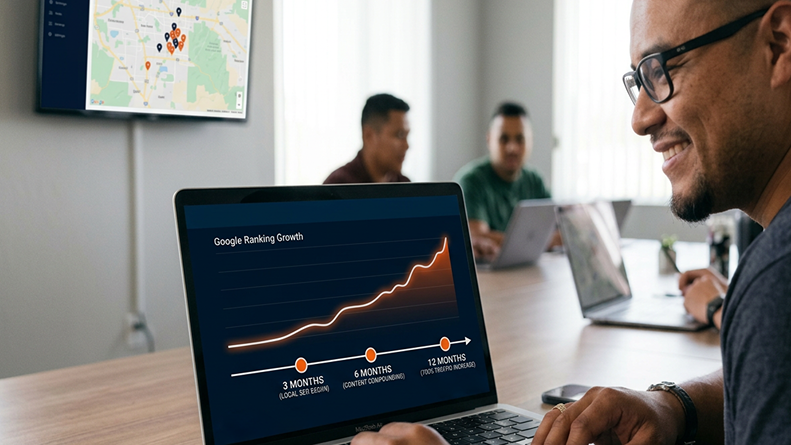
Expectations of the timeline matter. The first 30 days are all technical fixes, things like crawl errors, schema implementation, and performance optimization. Days 30-60 are about content restructuring, internal linking architecture, and filling content gaps. Generally, we see ranking improvements by day 90, but competitive terms may take longer. SEO is a compounding investment, not a light switch.
Most SEO retainers for Webflow sites are in the $1,500 to $5,000 per month range on the investment side, depending on site size, competition, and content velocity. Enterprise engagements with large CMS collections and multiple location requirements can be higher. What’s important is that you should know what you’re getting into; this is why the audit comes first.
Why Choose Progeektech for Your Webflow SEO?
All agencies at the top of the SERP for Webflow SEO services share common trust signals, including platform partnerships, tool integrations, and visible client logos. We do that too. We live in the Webflow ecosystem and connect with Semrush, Surfer, and Google’s suite of tools to deliver data-driven SEO that aligns with how search engines actually rank sites in 2026.
What sets us apart is that we are focusing on the areas that many agencies are still behind on. Optimizing for AI search is not a thing of the future. This is the SERP today, and we build our content strategies around how Google surfaces information via AI overviews and featured snippets. Core Web Vitals optimization isn’t an afterthought; it’s built into every engagement. And advanced schema implementation is a core competency, not a bolt-on.
The free audit is the key. While other agencies sell you on a call, we audit your site first. You’ll know exactly what needs to change before you spend even one dime. We like to begin each relationship with a level of transparency that the SEO industry does not often provide.
Frequently Asked Questions
Q1: Does Webflow handle SEO automatically, or do I need professional help?
Webflow includes solid foundational SEO features like auto-generated sitemaps, clean HTML5, and meta tag controls — but these are a starting point, not a strategy. In 2026, ranking requires advanced schema markup, AI-optimized content structure, Core Web Vitals tuning, and ongoing technical management that Webflow's native tools don't provide.
Q2: How is Webflow SEO different from WordPress SEO?
Webflow wins on speed, security, and clean code out of the box — no plugin bloat or database vulnerabilities. WordPress, however, still has an edge with plugins like Yoast and Rank Math for granular schema and content analysis. A professional Webflow SEO service fills that gap by applying WordPress-level customization directly in Webflow without the maintenance overhead.
Q3: How long does it take to see results from Webflow SEO services?
Typically, technical fixes are completed in the first 30 days, content restructuring and internal linking happen between days 30 and 60, and ranking improvements become visible around day 90. Highly competitive keywords may take longer. SEO is a compounding investment — results build over time, not overnight.
Q4: What does a Webflow SEO audit include?
A comprehensive Webflow SEO audit includes crawl and indexation analysis (orphan pages, soft 404s, and redirect chains); schema health checks; content gap analysis based on real user queries and AI overview sources; and a Core Web Vitals performance baseline, especially for mobile performance.
Claim Your Free Webflow SEO Audit
Looking to turn your Webflow site into a traffic machine? Get your free audit today. Within 48 hours, our team will analyze your site and deliver a prioritized roadmap with exactly where the opportunities are and what it will take to capture them.
Blog Posts You Will Want To Read Next
- Why CPAs Are Losing Leads to Competitors in AI Search (And the 2026 GEO System That Fixes It)
- The CPA Competitive SEO System: Find the Keyword Gaps Your Competitors Monetize and Build Content That Wins
- Webflow Technical SEO for Accountants: The Launch System Every Firm Needs Before Going Live