


You're working harder than ever, but your revenue isn't reflecting the effort. You're buried in spreadsheets, chasing down client information in email threads from three months ago, and missing follow-ups with potential clients who could double your income.
The most successful accounting firms aren't working longer hours. They're working smarter and using a tool that completely transforms how they operate. That tool is a CRM for accountants, and the figures speak for themselves. Companies that implemented CRM systems experienced an average increase in sales revenue of 29% and a productivity boost of 34%.
But here’s the real kicker: While you’re manually tracking birthdays in a notebook and missing sleep over missed deadlines, other businesses are automating these tasks, serving additional customers with less stress and banking far greater profits.
Ready to level the playing field?
The Hidden Cost of Managing Accounting Clients Without a CRM
Let's talk about what's really happening in your practice right now.
Your administrative assistant spends hours each week hunting for client documents across different folders. Your senior accountant can't remember if they followed up with that high-value prospect from last month. Tax season hits, and your team descends into chaos because nobody has a clear picture of where each client stands.
These aren't just minor inconveniences. They're revenue killers.
Research shows that most businesses using CRMs save their employees 5 to 10 hours per week. For accounting firms, that's 5 to 10 hours you could spend on billable work, strategic advisory services, or actually enjoying your weekend. When you calculate the hourly rate of a CPA, those lost hours add up to tens of thousands of dollars annually.
But the cost goes deeper than time. Every missed follow-up is a lost opportunity. Every scattered piece of client data creates friction in your service delivery. Every manual task your team performs is a chance for human error, and in accounting, errors destroy trust and reputation.
The real question isn't whether you can afford to implement a CRM for accountants. It's whether you can afford not to.
Why Smart Accountants Are Ditching Spreadsheets for CRM Systems
Remember when spreadsheets felt revolutionary? You could organize client information, track deadlines, and maybe even set up some formulas. But here's the brutal truth: 40% of salespeople still use spreadsheets and email programs to store customer data, and they're leaving massive amounts of money on the table.
Spreadsheets were never designed to manage relationships. They can't send automatic reminders when a client's quarterly review is due. They don't integrate with your accounting software to pull real-time financial data. They certainly can't tell you which prospects are most likely to convert based on engagement patterns.
Here's what happens when you make the switch: client onboarding time drops dramatically because templates and workflows handle the repetitive parts. And unlike spreadsheets that live on one person's computer, cloud-based CRM systems keep your entire team synchronized, whether they're in the office, at home, or meeting clients across town.
The CRM Framework Top Accounting Firms Use to Scale Revenue
You want to know the secret sauce? It's not complicated, but it requires a shift in how you think about client relationships. Top-performing accounting firms use what we call the Revenue Acceleration Framework.
Automated Client Acquisition
Most accounting firms are terrible at following up with prospects. Someone reaches out, you send a proposal, and then... nothing. You get busy with current clients and forget to circle back. Meanwhile, that prospect goes with a competitor who simply remembered to follow up. A CRM for accountants solves this by automating the entire nurture sequence. Someone fills out a contact form on your website?
Making Service Delivery Smoother
This is where the 20% less work comes into play. With the right CRM system, you can create templated workflows for every service you offer. Monthly bookkeeping? There's a workflow. Annual tax returns? Another workflow. Business advisory services?
They automatically generate tasks, assign them to the right people, trigger client communications, and update everyone on progress. According to research, firms using workflow automation can reduce their monthly close time by 7.5 days.
Think about what you could do with an extra week every month.
Proactive Relationship Management
This is where you start earning that 50% more. The accountants making the most money aren't just doing compliance work. But here's the problem: if you don't have visibility into your client's full picture, you can't identify these opportunities. The result? You move from reactive service delivery to proactive business advising. And proactive advisors charge premium fees.
What CRM Implementation Actually Delivers for Accounting Firms
Let's cut through the marketing hype and look at what happens when accounting firms actually implement CRM systems.
The average return on investment for CRM is $8.71 for every dollar spent. But for accounting firms specifically, the results are even more impressive when you look at the full picture.
Time savings come first. Most firms report that CRM reduces employee workload by 5 to 10 hours per week. For a five-person team, that's 25 to 50 hours of reclaimed time weekly. At an average billing rate of $200 per hour, that's $10,000 worth of billable time you're getting back every single week.
And here's one more number that matters: 65% of salespeople using mobile CRM meet their sales quotas, compared to only 22% who don't. For accounting firms with business development goals, mobile access to client data means you can follow up immediately after networking events, respond to prospect questions from anywhere, and never let a hot lead go cold.
How to Choose the Right CRM for Accountants Without Getting Overwhelmed
Walking into the CRM market feels like standing in the cereal aisle of a grocery store. Too many options, too many claims, and you just want something that works without spending three months becoming an expert.
Here's how to cut through the noise.
Integration with Your Accounting Software
This is non-negotiable. Your CRM needs to talk to QuickBooks, Xero, or whatever accounting platform you use. Real-time data sync means you're not manually updating client information in two places. You want to see a client's financial snapshot right inside your CRM without opening another program.
Workflow Automation That Actually Makes Sense
Some CRM systems require a computer science degree to set up automation. You need something where you can create a workflow in 10 minutes, not 10 hours. Look for pre-built templates specifically designed for accounting firms. Monthly bookkeeping workflows, tax season workflows, and year-end close workflows are all ready to go.
Client Portal Functionality
Your clients want self-service access to their information. A CRM with built-in client portals lets them upload documents, view their billing history, and schedule appointments without emailing back and forth 47 times. This alone can save hours every week.
Security and Compliance Features
You're handling sensitive financial data. Your CRM requires bank-level encryption, role-based control over access, and detailed audit trails. If it doesn't meet the security standards of your professional liability insurance, keep looking.
Mobile Access
You're not always at your desk. Neither is your team. Mobile CRM access means you can respond to client questions from home, update notes after client meetings, and review tomorrow's tasks while you're commuting. The flexibility is worth its weight in gold.
Realistic Pricing
Most accounting firms invest $20 to $75 per user per month for CRM software. That seems like a lot until you realize you're getting back 5 to 10 hours of productive time per person weekly. Do that math, and the ROI is obvious.
But here's the real secret: start small. You don't need every bell and whistle on day one. Pick a CRM that's easy to implement, get your team using the basics, and expand functionality as you go. Most firms see payback within 3 to 6 months through improved efficiency and client retention.
The 90-Day Implementation Plan That Gets Your Team Actually Using the CRM
Buying a CRM is easy. Getting your team to use it? That's where most firms fail.
About 83% of senior executives report they've met with resistance when trying to get staff to use CRM software. The key is having a plan that makes adoption inevitable, not optional.
Month One: Introductions and Setup
Week 1: Import your current client data. Yes, it is a mess. Yeah, it takes a while. And just do it. The quality of a CRM depends on the quality of its data.
Week 2: Create your basic workflows. Below are your three most common client services. Don’t try to program everything right away.
Week 3: Set up integrations with your accounting software and email. And that’s when the real work begins.
Week 4: Teach the basics to your team. Daily tasks to focus on: Add contacts, update client notes, and complete workflow steps.
Month Two: Enhancement and Adoption
CRM is the single source of truth for client data. No more, “This information is just in my notes. Everything goes into the CRM.
Hold daily stand-up meetings in which team members report on their activities based on the information displayed in the CRM. This keeps everyone accountable and highlights any confusion early.
Make a new automation every week. Or maybe it’s automated birthday emails to clients. Maybe it's a reminder pattern for prospects who didn't reply. Small wins create momentum.
Month Three: Optimizing and Scaling
Analyze your data. Which leads convert the quickest? Which customers are the most profitable? What are the most profitable services? Your CRM has enough data now to answer these questions.
Create dashboards for different team roles. Your business development person needs to see the sales pipeline. Your accountants would benefit from having visibility into upcoming deadlines. Your manager needs capacity planning views.
Start expanding into advanced features like predictive analytics, advanced reporting, and cross-selling recommendations.
The firms that succeed with CRM implementation share one trait: they commit to living in the system. No parallel spreadsheets. No, "I'll update it later." The CRM becomes the heartbeat of the practice.
Breaking Down the "I Don't Have Time" Myth
"I'm too busy to implement a CRM."
We hear this all the time, and it's completely backward. You're not too busy to implement a CRM. You're busy because you haven't implemented one yet.
Think about it this way: you're currently spending hours every week on tasks that a CRM would handle automatically. Finding client information. Sending follow-up emails. Tracking deadlines. Updating spreadsheets and creating reports.
Every hour you spend on these manual tasks is an hour you can't spend on billable work. It's an hour you can't spend developing new client relationships. It's an hour you can't spend with your family.
The research backs this up. Businesses reported that CRM software helps them increase productivity by almost 50%. That's not a small improvement. That's transformational.
Here's what actually happens when you implement a CRM for accountants:
The first two weeks feel like extra work. You're learning a new system while still doing everything the old way. It's uncomfortable.
Weeks three and four, things start clicking. You realize you're not hunting for information anymore. Follow-ups are happening automatically. Your team is synchronized in ways they never were before.
By the second month, you wonder how you ever operated without it. The time savings become obvious. The revenue opportunities become clear. And yes, you're working less while earning more.
The "I don't have time" objection is really a fear of change disguised as a practical concern. But here's the thing about change: it's happening whether you participate or not. Your competitors are implementing these systems. Your clients are expecting this level of service. The accounting industry is moving toward automation and integration.
You can lead that change or get left behind by it.
Common CRM Mistakes Accounting Firms Make (And How to Avoid Them)
Let's talk about the mistakes that sink CRM implementation so you can avoid them.
Mistake 1: Trying to Customize Everything on Day One
You don't need a custom field for every possible data point. You don't need 47 different workflow variations. Start simple. Use the system out of the box for at least 60 days before you start customizing. You'll have much better insight into what actually needs to change.
Mistake 2: Not Cleaning Data Before Import
Garbage in, garbage out. If you import messy spreadsheet data full of duplicates, missing records, and outdated information, your CRM will be messy. Spend some time cleaning your data first. It’s a pain, but it’s worth the effort.
Mistake 3: Making The CRM Optional
"Try it and see if you like it" is the recipe for failure.
The CRM needs to be the required system for all client interactions. No exceptions. When it's optional, people default to their old habits.
Mistake 4: Ignoring Mobile Usage
Your team aren't always at their desks. If your CRM doesn't perform well on handheld devices, they won’t use it when they’re meeting with clients, attending business events, or working remotely. Choose a CRM with strong mobile functionality.
Mistake 5: Skipping Ongoing Training
You trained everyone when you implemented the system. Great. But CRMs evolve, your team changes, and people forget. Schedule quarterly refresher training. Share tips about features people aren't using. Make CRM expertise part of your team's professional development.
The firms that succeed with CRM avoid these mistakes by treating implementation as a business transformation, not just a software purchase.
What Your Clients Actually Think About Your CRM (And Why It Matters)
Here's something most accountants don't consider: your clients can tell whether you're using a professional CRM or winging it with spreadsheets. They notice when you remember details from your last conversation.
When you reach out via email, phone, and in-person meetings, clients expect you to have context from all previous interactions. A CRM makes that possible. Spreadsheets don't.
Client perception directly impacts your ability to command premium fees. If everything runs smoothly, if you anticipate their needs, and if communication is effortless, they happily pay higher rates.
Think about the accounting firms you admire. The ones charging top dollar and never struggling to find clients. They're not necessarily better at tax preparation than you are. But they deliver a better overall experience, and CRM systems are a big part of how they do it.
The Future of Accounting Firms: Change or Be Left Behind
The accounting industry has reached an inflection point. “Technology is changing everything from how we do our tax returns to how we communicate with clients.
The 2025 Future Ready Accountant report revealed 83% of firms reported revenue growth, and high-growth firms were 53% more likely to use integrated technology systems. These aren't accidents. Technology isn't optional anymore. It's the price of admission.
AI is mainstream in finance and accounting. Routine tasks are handled by automation. Cloud-based systems are replacing desktop software. And CRM platforms are becoming the central nervous system of successful firms.
Here's what this means for you: the gap between tech-savvy firms and traditional firms is widening fast. Ten years ago, having a website was nice to have. Five years ago, it became essential. Today, integrated systems that include CRM, accounting software, workflow automation, and client portals aren't luxuries. They're requirements.
What the successful accounting firms will have in common in 2026. They’ve automated the boring stuff. They've created systematic approaches to client acquisition and retention. They've built technology stacks that let small teams punch above their weight class. And yes, they're all using CRM for accountants.
You have a choice. You can view technology as a threat to traditional accounting practice, or you can see it as an opportunity to build a more profitable, less stressful, more sustainable firm.
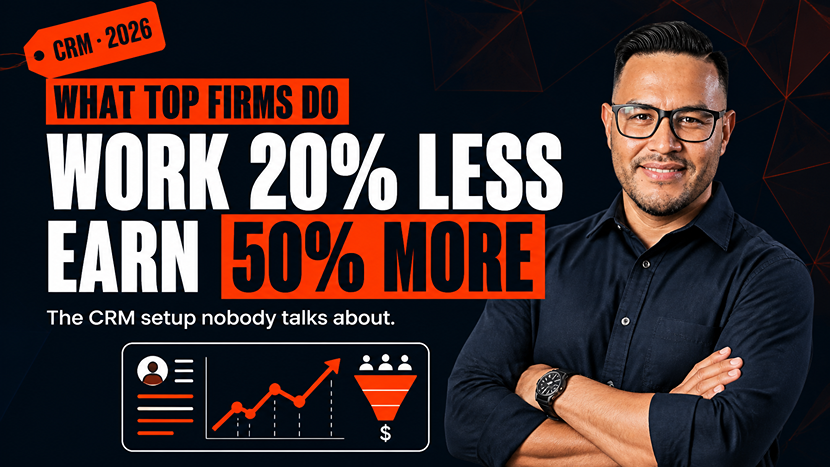
The opportunity for firms is to work 20% less while earning 50% more. The firms resisting change are working harder every year for the same or declining revenue.
Which one sounds more appealing to you?
Your Next Steps: Moving from Information to Implementation
You've read this far, which means you're serious about transforming your practice.
Knowledge is good, but implementation is what counts.
Here’s your 30-day game plan:
Week 1: Evaluate Your Current System
List of manual activities associated with client management. Keep track of the time you spend searching for information, following up with prospects, and coordinating with your team. Calculate the real cost of what you are doing now.
Week 2: Investigate CRM Options
Choose three CRM platforms for accountants that suit the size and needs of your firm. Most offer free trials. Take advantage. Bring your team into the evaluation process.
Week 3: Make a Decision
Choose one. Yes, it might not be perfect. That's okay. A good CRM implemented well beats a perfect CRM you never fully use. Remember that most firms see ROI within 3 to 6 months.
Week 4: Begin Implementation
Import your data. Set up basic workflows. Train your team. Commit to using the system for all client interactions starting immediately.
The difference between accounting firms that grow and firms that stagnate isn't talent or technical expertise. It's willingness to evolve. The technology exists. The roadmap is clear. The results are proven. The only question is whether you're ready to take action.
Frequently Asked Questions
How much does a CRM for accountants typically cost?
Most accounting firms charge $20 to $75 per user per month, and many see a return on investment within 3 to 6 months through time savings and increased retention of clientele.
Does the CRM integrate with my current accounting software, such as QuickBooks or Xero?
Yes, a good CRM for accountants should automatically sync with accounting platforms like QuickBooks or Xero, so client financial data is visible without having to update information in 2 different systems.
How long does it take to implement a CRM at an accounting firm?
The standard firm will have a 90-day rollout: month one to set up and import data, month two to get the team using the system, and month three to optimize and begin using some of the advanced features like reporting and forecasting.
Is a CRM worth it for a small accounting firm or only for larger practices?
It works at any scale, but the biggest relative gains are often made by small firms, where automating follow-up and workflows frees up the same 5-10 hours per week per person, regardless of headcount, and can significantly grow a smaller firm’s revenue base.
Conclusion: The CRM Advantage Is Real (And Available to You)
Let's circle back to where we started. You're working too hard for too little return. Your competitors are using systems you're not. The gap is widening.
The numbers don't lie. A 29% increase in sales revenue. A 34% boost in productivity. Time savings of 5 to 10 hours per week per person. An ROI of $8.71 for every dollar spent. These aren't theoretical benefits. They're real results from real firms.
You didn't become an accountant to spend your days managing spreadsheets and chasing information. You got into this profession to help clients, build a sustainable practice, and create a good life for yourself and your team.
A CRM for accountants gives you the tools to do exactly that. Less busy work. More meaningful client interactions. Better revenue. More freedom. The top accounting firms already figured this out. They're working smarter, earning more, and sleeping better at night. You can join them.
Progeektech is an expert in enabling accounting firms to implement marketing automation systems, CRM platforms, and integrated digital solutions that deliver real business results. We’ve helped dozens of firms move from chaos to clarity, from manual processes to streamlined automation.
Book your free strategy session today to learn how the right CRM system can help you earn 50% more while working 20% less. Let’s create a technology foundation that supports your growth, not your stress.